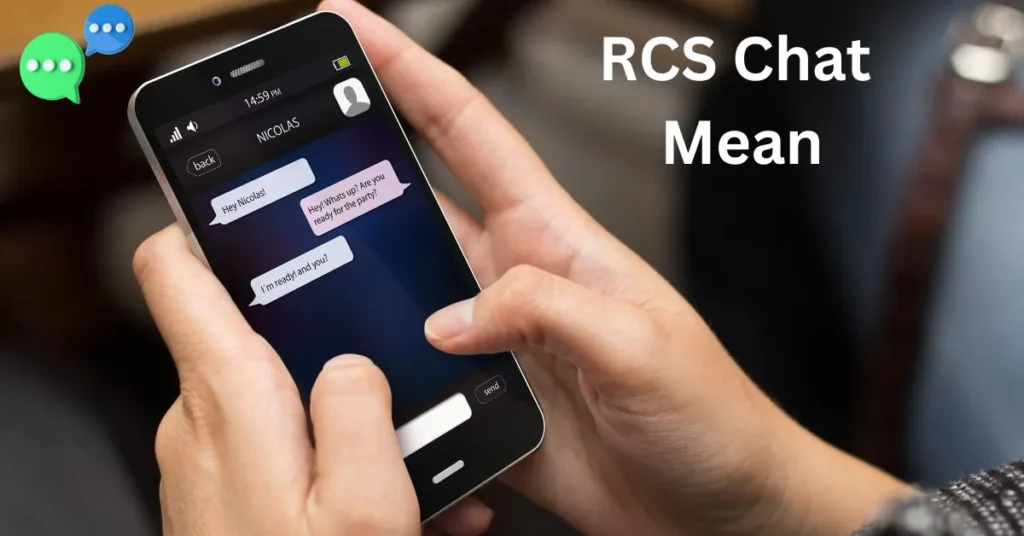
If you’ve ever opened your messaging app and seen “RCS chat” or “Chat features” enabled, you might be wondering what it actually means.
RCS chat, short for Rich Communication Services, is the next-generation messaging technology designed to replace traditional SMS and MMS.
Unlike standard text messages, RCS allows you to send high-resolution photos and videos, see when someone is typing, receive read receipts, and even participate in enhanced group chats.
Essentially, it turns your basic texting experience into something closer to modern messaging apps like iMessage or WhatsApp, but natively on Android devices.
Supported by major mobile carriers worldwide, RCS messaging offers faster, richer, and more interactive communication.
However, its full functionality depends on both the sender and receiver having RCS-enabled devices.
In this article, we’ll explore what RCS chat is, how it works, its key features, benefits, limitations, and how you can enable it on your device for a better messaging experience.
What is RCS?
RCS, or Rich Communication Services, is a modern messaging protocol developed to enhance traditional SMS and MMS. Think of it as a major upgrade to standard texting—one that allows you to send more than just plain text. While SMS is limited to 160 characters and MMS allows small media files, RCS supports high-resolution photos, videos, audio messages, and interactive content, creating a richer messaging experience.
The technology was introduced by the GSMA, the global association of mobile operators, to standardize advanced messaging features across carriers. Its main goal is to provide a seamless, real-time communication experience that competes with popular messaging apps like WhatsApp, Facebook Messenger, and iMessage—but without requiring users to download a separate app.
One of the defining features of RCS is its ability to provide real-time interaction indicators, such as read receipts and typing notifications, so you always know when someone is engaging with your messages. RCS also supports enhanced group messaging, location sharing, and even suggested actions, making conversations more dynamic and convenient.
To use RCS, both the sender and receiver need devices and carriers that support the protocol. On Android, apps like Google Messages and Samsung Messages often come preloaded with RCS functionality. With global adoption steadily increasing, RCS is rapidly becoming the standard for mobile messaging, bridging the gap between SMS simplicity and modern app-like features.
SMS vs MMS vs RCS – Key Differences
Understanding RCS chat becomes easier when you compare it to traditional messaging methods like SMS and MMS. Each of these technologies serves the basic purpose of sending messages, but the capabilities and user experience vary significantly.
SMS (Short Message Service) is the most basic form of texting. It allows you to send plain text messages up to 160 characters. SMS works on virtually all mobile devices and networks, making it highly universal. However, it does not support images, videos, or advanced messaging features.
MMS (Multimedia Messaging Service) improves upon SMS by allowing the sending of photos, videos, and audio clips. While MMS supports media, file sizes are limited, and messages can take longer to deliver. Group messaging is also more restricted compared to modern apps.
RCS (Rich Communication Services) takes messaging to the next level. Unlike SMS and MMS, RCS supports high-resolution media, read receipts, typing indicators, and enhanced group chats. It also allows location sharing and interactive features like suggested replies or polls. Essentially, RCS combines the universality of SMS with the interactive experience of apps like WhatsApp or iMessage.
The main difference lies in the user experience and interactivity: SMS is simple, MMS is slightly better with media, and RCS provides a rich, app-like messaging experience without needing a separate app. However, RCS requires both devices and carriers to support it, unlike SMS which works universally.
By understanding these differences, it’s clear why RCS is being called the future of mobile messaging.
Key Features of RCS Chat
RCS chat is designed to enhance the way we communicate through mobile messaging, offering features far beyond traditional SMS and MMS. Understanding its key functionalities helps explain why it’s rapidly becoming the preferred messaging standard for Android users.
1. High-Resolution Media Sharing: Unlike SMS, which only supports text, or MMS, which allows small media files, RCS enables sending high-quality photos, videos, and audio messages. This ensures that images remain clear and videos play smoothly without compressing the content excessively.
2. Read Receipts and Typing Indicators: With RCS, you can see when a recipient has read your message or when they are typing a reply. These real-time indicators make conversations feel more interactive and immediate, similar to modern messaging apps.
3. Enhanced Group Messaging: RCS allows for better group chats, including the ability to name groups, see who has read messages, and manage participants more effectively. This creates a more organized and responsive group messaging experience.
4. Location Sharing: Users can share their live location with contacts, making it convenient for meetups or ensuring safety.
5. Suggested Actions and Interactive Features: Some RCS-enabled apps provide smart replies, polls, and event suggestions, adding interactivity and convenience to everyday messaging.
6. Seamless Integration with Native Apps: RCS works directly through compatible messaging apps, such as Google Messages or Samsung Messages, without requiring a separate app download.
These features collectively make RCS a richer, faster, and more interactive messaging experience, bridging the gap between traditional texting and app-based communication.
How RCS Chat Works
RCS chat operates as an advanced messaging protocol that enhances traditional SMS/MMS by leveraging internet connectivity. Unlike SMS, which relies solely on cellular networks, RCS messages are sent over mobile data or Wi-Fi, allowing for richer content and interactive features.
For RCS to function, both the sender and recipient must have RCS-enabled devices and be connected to carriers that support the protocol. On Android devices, popular messaging apps like Google Messages and Samsung Messages typically provide native RCS functionality. When a device is RCS-compatible, the app automatically detects whether RCS features can be used in a conversation. If not, messages fall back to standard SMS or MMS to ensure delivery.
RCS uses the Universal Profile, a global standard developed by the GSMA, to ensure interoperability across different carriers and devices. This means that, in theory, an RCS message can be sent between carriers worldwide, provided both sides support the protocol.
The technology supports features like read receipts, typing indicators, and group messaging enhancements by transmitting metadata alongside the actual message content. Media files such as images, videos, and audio clips are sent via data rather than traditional MMS, which allows for higher quality and faster delivery.
In summary, RCS combines the reliability of SMS with the interactivity of modern messaging apps. It works seamlessly in the background, automatically switching to SMS/MMS when needed, and enables users to enjoy richer conversations without needing a separate messaging platform.
Benefits of Using RCS Chat
RCS chat offers a range of benefits that make it a significant upgrade over traditional SMS and MMS messaging. By combining the simplicity of native texting with the features of modern messaging apps, RCS enhances communication for both personal and professional use.
1. Richer Messaging Experience: RCS allows sending high-resolution photos, videos, GIFs, and audio messages. This makes conversations more engaging and visually appealing compared to plain SMS or low-quality MMS.
2. Real-Time Interactions: Features like read receipts and typing indicators help users know when a message has been seen and when someone is replying. This improves communication efficiency and prevents the uncertainty often associated with SMS.
3. Enhanced Group Communication: RCS supports better group chats with options to name groups, see who has read messages, and manage participants. This is especially useful for team coordination, family chats, or event planning.
4. Seamless Native Integration: Unlike third-party messaging apps, RCS works directly through apps like Google Messages or Samsung Messages, meaning there’s no need to download or sign up for a separate service.
5. Location Sharing and Interactive Features: Users can share live locations, participate in polls, or use suggested replies, making messaging faster and more convenient.
6. Reliable Delivery: RCS messages are sent over mobile data or Wi-Fi and automatically fall back to SMS/MMS if RCS isn’t available, ensuring that your messages are always delivered.
Overall, RCS chat transforms the traditional texting experience into a faster, richer, and more interactive form of communication, offering modern features without leaving the native messaging app.
Limitations and Drawbacks of RCS Chat
While RCS chat offers many advanced messaging features, it’s not without limitations. Understanding these drawbacks helps users make informed decisions about when and how to use RCS.
1. Compatibility Issues: RCS requires both the sender and recipient to have RCS-enabled devices and carriers. If one person’s device or network doesn’t support RCS, messages automatically fall back to SMS or MMS, which can limit the rich features. Compatibility is also inconsistent across iOS and Android, as Apple devices do not natively support RCS.
2. Limited Adoption: Although RCS is supported by many carriers and Android devices, it’s still not universally adopted worldwide. Users may encounter situations where certain contacts cannot receive RCS messages, reducing its reliability as a global messaging standard.
3. Privacy Concerns: Unlike encrypted messaging apps like WhatsApp or Signal, standard RCS messages are not end-to-end encrypted. This means messages could potentially be accessed by carriers or intercepted during transmission, making it less secure for sensitive communications.
4. Data Usage: Since RCS messages use mobile data or Wi-Fi, sending large media files can consume data, especially if users are not connected to Wi-Fi. This could be a concern for people with limited data plans.
5. Dependence on Carriers: Some RCS features rely on carrier support, which can cause delays or inconsistent performance if the network is slow or doesn’t fully implement the RCS standard.
In summary, while RCS chat provides a modern and interactive messaging experience, its limitations—such as compatibility, privacy, and carrier dependence—mean it isn’t a perfect replacement for all messaging apps. Users should weigh these factors when deciding to rely on RCS for daily communication.
How to Enable RCS Chat on Your Device
Enabling RCS chat on your device is relatively simple, especially on Android smartphones, but it does require compatible devices and carriers. Here’s a step-by-step guide to help you get started.
1. Use a Supported Messaging App: Most Android devices come with Google Messages or Samsung Messages, which support RCS. If your device doesn’t have a compatible app, download Google Messages from the Google Play Store and set it as your default messaging app.
2. Check Carrier and Device Support: Ensure your mobile carrier supports RCS messaging. Most major carriers worldwide now offer RCS, but some smaller carriers may not. Additionally, make sure your device’s software is up to date, as older versions may not support RCS.
3. Enable Chat Features:
- Open your messaging app (e.g., Google Messages).
- Tap the three-dot menu and go to Settings → Chat Features.
- Toggle Enable Chat Features on. The app may verify your phone number and carrier settings automatically.
4. Confirm Activation: Once enabled, you should see a status like “Connected” under Chat Features. If it says “Setting up” or “Unavailable,” check your internet connection, restart your device, or contact your carrier.
5. Start Using RCS: After activation, you can send rich messages to other RCS users. Features like read receipts, typing indicators, high-quality media, and group chats will now work automatically.
By following these steps, you can unlock the full potential of RCS chat, transforming your standard texting experience into a modern, interactive, and feature-rich messaging system.
Frequently Asked Questions
1. Is RCS chat free?
Yes, sending RCS messages is typically free over Wi-Fi or mobile data, similar to using other messaging apps. However, sending RCS messages over mobile data may consume data from your plan, especially when sending high-resolution media.
2. Can I send RCS messages to iPhone users?
No, RCS is not supported natively on Apple devices. If you send an RCS message to an iPhone, it will automatically fall back to standard SMS or MMS, which may not include read receipts or typing indicators.
3. Does RCS require mobile data?
Yes, RCS uses mobile data or Wi-Fi to enable advanced features such as high-quality media, read receipts, and typing indicators. If you are not connected to data or Wi-Fi, messages may be sent via SMS/MMS instead.
4. How do I know if RCS is enabled on my device?
Open your messaging app (Google Messages or Samsung Messages), go to Settings → Chat Features, and check if it says “Connected”. If it shows “Setting up” or “Unavailable,” RCS may not be activated or supported by your carrier.
5. Is RCS secure?
RCS messages are not end-to-end encrypted, unlike apps such as WhatsApp or Signal. While they are more secure than SMS, sensitive information should be shared cautiously.
6. What happens if RCS is not available for a contact?
Messages will automatically revert to SMS or MMS, ensuring they are still delivered, but without advanced features like typing indicators or read receipts.
This FAQ addresses the most common concerns about RCS, helping users understand its functionality, limitations, and how to use it effectively.
Conclusion
RCS chat represents the next step in mobile messaging, offering a richer, faster, and more interactive experience compared to traditional SMS and MMS.
By supporting features like high-resolution media, read receipts, typing indicators, enhanced group messaging, and location sharing, RCS brings modern app-like functionality directly into your native messaging app.
While it offers many benefits, including seamless integration and real-time interaction, RCS does have some limitations.
Compatibility depends on both the sender’s and recipient’s devices and carriers, and messages are not end-to-end encrypted, which may raise privacy concerns for some users.
Additionally, it is currently not supported on iOS, meaning cross-platform communication can fall back to SMS or MMS.
Despite these limitations, RCS is rapidly gaining traction worldwide, with increasing carrier adoption and the implementation of the Universal Profile standard.
Businesses are also leveraging RCS Business Messaging to communicate more effectively with customers.
In summary, RCS chat is transforming mobile communication by bridging the gap between traditional texting and modern messaging apps.
By enabling users to send richer, faster, and more interactive messages, it is set to become the future of messaging on Android devices, offering a modern and convenient way to stay connected with friends, family, and colleagues.

Jordon Fox is an emerging artist and creative from Philadelphia, Pennsylvania, known for blending music, fashion, and fitness into his personal brand and artistic identity. He’s built a reputation as a multi-talented creator with a strong focus on authenticity and inspiring others.